A toggle paired with a label and an optional subtext message, in a single row. 18 variants mirroring the Toggle atom — State (Default / Pressed / Disabled) × Size (Large / Medium / Small) × isSelected (true / false) — nesting the Toggle instance plus a #label and a composed Subtext Message.
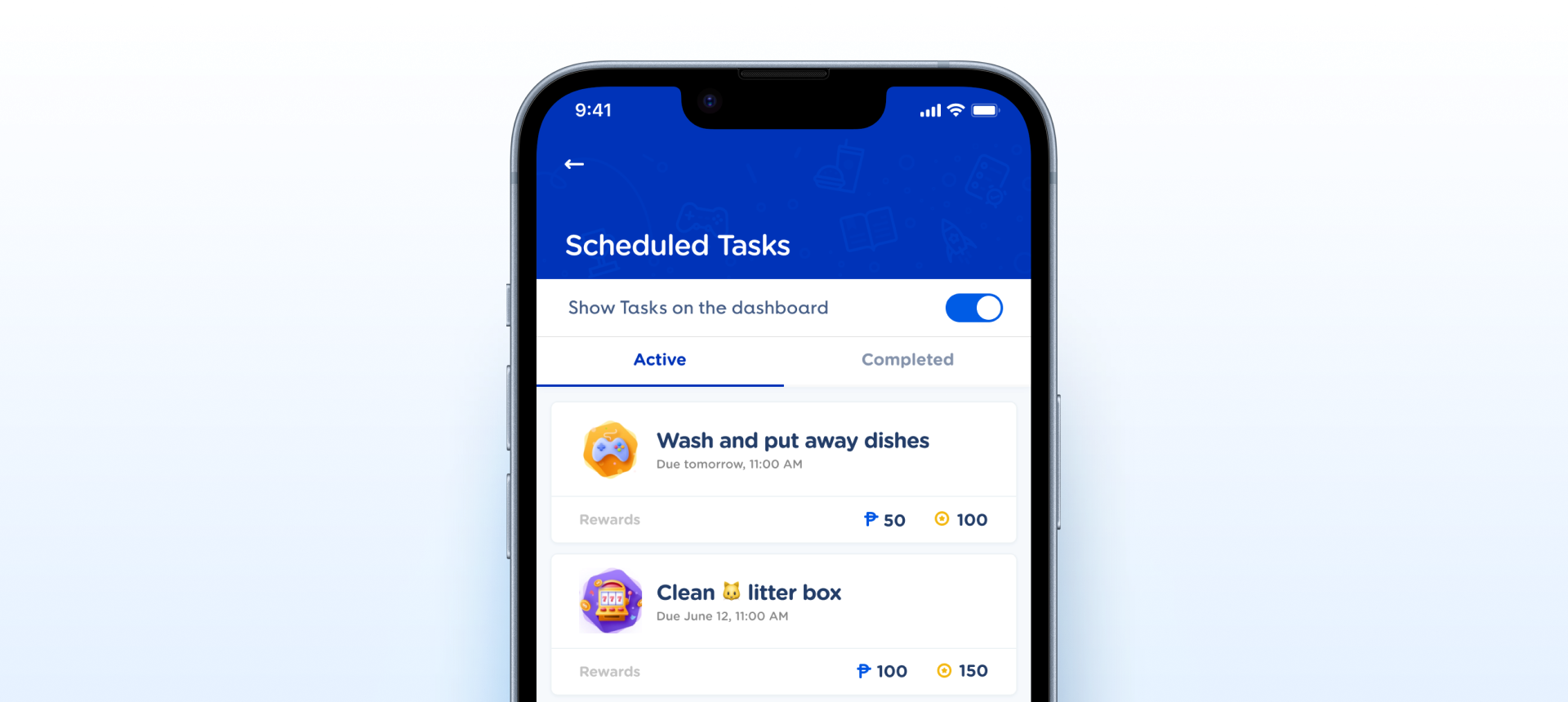
State × Size × isSelected schema, and hasSubtext shows the Subtext Message only when needed.How the toggle with label appears in a real product screen — Show Tasks on the dashboard, switched on, on Scheduled Tasks.
State × Size × isSelected), with an editable #label and a composed Subtext Message. Drops into settings rows, form opt-ins, and list items without detaching.Toggle instance (atom changes propagate) and a Subtext Message instance for helper/error text. Both compose cleanly rather than being redrawn.| State | iOS | Android | Figma Property | Notes |
|---|---|---|---|---|
| Off / On | Yes | Yes | isSelected=false / true | Label left, nested Toggle right. The toggle reflects the row's isSelected. |
| Pressed | Yes | Yes | State=Pressed | Pressed feedback on the toggle; the whole row is the intended tap target on native. |
| Disabled | Yes | Yes | State=Disabled | Toggle and label both mute. No Pressed pairing, matching the atom. |
| Subtext / error message | Yes | Yes | Subtext Message instance | Helper or error text below the row via a composed Subtext Message. Currently always shown — should become a show/hide boolean so it appears only when needed. |
- v2.0: Promoted from a static frame to a real component — it now has a full property surface (
State×Size×isSelected) and an editable#label, so consumers no longer detach and rebuild. (C2) - v2.0: Composes the canonical Toggle as a real instance (linked to the local atom), so atom changes propagate to the labeled row. (C4)
- v2.1: Schema aligned to the Toggle atom —
State(Default / Pressed / Disabled) with pressed folded in, and lowercaseisSelected=true/false. 18 variants, mirroring the atom. (C2) - v2.1: Helper / error text moved to a composed
Subtext Messageinstance rather than a separatehasErrorTextvariant axis — fewer variants, and the message inherits the canonical component. (C2) - v2.1: The always-present
Subtext Messageconfirmed intentional — reviewed and accepted as a standing part of the labeled row, not gated behind a boolean. (C2)
- Promote from frame to a real component. v2.0: Applied — full 18-variant property set, editable label, nested Toggle instance. Composition
- Inherit Toggle state + size from the inner instance. v2.1: Applied —
StateandSizemirror the atom and forward down to the nested Toggle. Property - Add helper / error text. v2.1: Applied via a composed
Subtext Messageinstance rather than a variant axis (visibility gating still to add). Slot
Component Playground
Layout
VStack
Typography
Colors
iOS — Swift Package Manager
.package(url: "https://github.com/AY-Org/eb-ds-ios", from: "1.0.0")
Android — Gradle (Kotlin DSL)
implementation("com.eastblue.ds:toggle:1.0.0")
Import
import EastBlueDS
import com.eastblue.ds.toggle.*
One row per property of set 26510:37680, in panel order. The nested Toggle is not exposed on the row, so nothing about the switch itself is reachable through this component.
| Figma Property | SwiftUI | Compose |
|---|---|---|
| State — Default, Disabled, Pressed | .disabled(true) for Disabled; Pressed is the press gesture on the row, not a parameter | enabled = false for Disabled; Pressed comes from the row’s interactionSource |
| Size — Large, Medium, Small | .controlSize(.large / .regular / .small) | size = EBToggleSize.Large / Medium / Small |
| isSelected — false, true | isOn: Binding<Bool> | checked: Boolean |
| hasSubtext — true, false | subtext: String? — omit to hide | subtext: String? = null |
| — no Figma property (the row label) | EBToggleRow("Label", …) | label: String |
| — no Figma property (the change callback) | the binding writes back — $isOn | onCheckedChange: (Boolean) -> Unit |
// hasSubtext = false — the row is 180 × 24 at Large.
// The label frame fills to the switch, so the row is space-between.
EBToggleRow("Push notifications", isOn: $notificationsOn)
.controlSize(.large)// hasSubtext = false — the row is 180 × 24 at Large.
// The label frame fills to the switch, so the row is space-between.
EBToggleRow(
label = "Push notifications",
checked = notificationsOn,
onCheckedChange = { notificationsOn = it },
size = EBToggleSize.Large
)// hasSubtext = true adds a 22pt Subtext Message flush below
// the row — 24 becomes 46. The subtext does not change with
// Size or State.
EBToggleRow("Push notifications", isOn: $notificationsOn)
.controlSize(.large)
.ebSubtext("You can change this later in Settings.")// hasSubtext = true adds a 22dp Subtext Message flush below
// the row — 24 becomes 46. The subtext does not change with
// Size or State.
EBToggleRow(
label = "Push notifications",
checked = notificationsOn,
onCheckedChange = { notificationsOn = it },
subtext = "You can change this later in Settings."
)// Only the track mutes. The label stays #445C85 and the
// subtext #6780A9, so dim the row yourself if the whole
// setting is meant to read as unavailable.
EBToggleRow("Push notifications", isOn: .constant(true))
.disabled(true)// Only the track mutes. The label stays #445C85 and the
// subtext #6780A9, so dim the row yourself if the whole
// setting is meant to read as unavailable.
EBToggleRow(
label = "Push notifications",
checked = true,
onCheckedChange = { },
enabled = false
)| Requirement | iOS | Android |
|---|---|---|
| Label and switch are one element | VoiceOver should say "Push notifications, on" in one utterance — combine the label and the toggle rather than exposing two elements. | Use Modifier.toggleable on the row so semantics merge into a single announcement. |
| Whole row is the target | Put the tap on the row, not the 48 × 24pt switch. Wrap in a Button or .onTapGesture that flips the binding. | Modifier.toggleable on the row gives the same target and the correct Role.Switch. |
| Minimum target | The row is 24 / 20 / 16pt tall — every size is under 44 × 44pt even with the whole row tappable. Pad the container. | Same three heights, all under 48 × 48dp. Use Modifier.minimumInteractiveComponentSize(). |
| Subtext announcement | When hasSubtext is on, expose the subtext as .accessibilityHint so it follows the label and state. | Merge it into the toggleable row’s semantics as a second line; do not leave it as a separate focusable node. |
| Disabled | .disabled(true) blocks interaction and VoiceOver announces "dimmed" — which the visuals do not, since only the track mutes. | enabled = false on the row; TalkBack announces "disabled". |
| Dynamic Type / font scaling | The label is 16pt at Large and Medium and 14pt at Small; the subtext is 12pt. All must scale, and the row height has to grow with them. | Use sp throughout and let the 24 / 20 / 16dp row expand with fontScale. |
Do
Use the row wherever a toggle needs naming — settings lists, opt-ins, permission screens. It bundles the label, the switch and an optional subtext at a fixed rhythm.
Don't
Don’t build your own label-plus-toggle row. The label frame fills to the switch, so a hand-rolled version drifts as soon as the label wraps.
Do
Turn on <code>hasSubtext</code> for the consequence of the setting — "You can change this later in Settings". It adds 22 to the row height.
Don't
Don’t use the subtext for validation. It has one colour, <code>#6780A9</code>, at every State — there is no error treatment on this row.
Do
Match <code>Size</code> to the density of the list — Large (24) for a standalone setting, Small (16) for a dense preferences screen.
Don't
Don’t expect the label to shrink between Large and Medium. Both use <code>Primary/Label/Light/Base</code> at 16 / 16; only Small steps down.
Do
Dim the whole row yourself when a setting is unavailable, on top of <code>State=Disabled</code>.
Don't
Don’t rely on the component for that. Disabled mutes the track alone — the label stays <code>#445C85</code> and the subtext <code>#6780A9</code>, so the row still reads as live.
| ID | Criterion | Status | Notes |
|---|---|---|---|
| C1 | Layer Structure & Naming | Ready | Semantic throughout — a container holding a label frame with #label and a linked Toggle instance, plus a Subtext Message instance below. The static frame the 1.0.0 assessment found is gone (v2.0). |
| C2 | Variant & Property Naming | Needs Refinement | Names are correct — PascalCase variants, is and has prefixes with lowercase values. But the two booleans are built differently: isSelected is a variant with true/false values while hasSubtext is a boolean property. Only one doubles the matrix. Segmented Control - Group has the same split. |
| C3 | Token Coverage | Needs Refinement | Nothing but the track responds to State — the label holds #445C85 and the subtext #6780A9 through Disabled, so a disabled row has no muted text token to bind. Bindings themselves cannot be read with the Talk To Figma plugin. |
| C4 | Native Mappability | Ready | A labelled row with an optional second line — LabeledContent around a Toggle on iOS, a Row with Modifier.toggleable on Compose. The "cannot map a frame" blocker from 1.0.0 is gone. |
| C5 | Interaction State Coverage | Ready | Default, Disabled and Pressed at all three sizes in both selections — the complete 18, mirroring the Toggle atom exactly. Error is not a state on this row; the subtext carries no error treatment. |
| C6 | Asset & Icon Quality | Not Applicable | No assets. The only graphic is the nested Toggle, which owns its own track and knob. |
State (3) × Size (3) × isSelected (2) = 18 variants, the same matrix as the Toggle atom. hasSubtext is a boolean property — it reveals the nested Subtext Message and adds 22 to the row height without adding a variant. Row width is 180 at every size; the track fill below belongs to the nested Toggle.
| State | isSelected | Count | Track fill |
|---|---|---|---|
| Default | false | 3 | #D7E0EF |
| Disabled | false | 3 | #EEF2F9 |
| Pressed | false | 3 | #C2CFE5 |
| Default | true | 3 | #005CE5 |
| Disabled | true | 3 | #9BC5FD |
| Pressed | true | 3 | #2340A9 |
View full State × Size × isSelected breakdown (18 rows)
| State | Size | isSelected | Node ID | Row size | Track fill |
|---|---|---|---|---|---|
| Default | Large | false | 26510:37681 | 180 × 24 | #D7E0EF |
| Default | Medium | false | 26510:37685 | 180 × 20 | #D7E0EF |
| Default | Small | false | 26510:37689 | 180 × 16 | #D7E0EF |
| Disabled | Large | false | 26510:37729 | 180 × 24 | #EEF2F9 |
| Disabled | Medium | false | 26510:37733 | 180 × 20 | #EEF2F9 |
| Disabled | Small | false | 26510:37737 | 180 × 16 | #EEF2F9 |
| Pressed | Large | false | 26510:37693 | 180 × 24 | #C2CFE5 |
| Pressed | Medium | false | 26510:37697 | 180 × 20 | #C2CFE5 |
| Pressed | Small | false | 26510:37701 | 180 × 16 | #C2CFE5 |
| Default | Large | true | 26510:37705 | 180 × 24 | #005CE5 |
| Default | Medium | true | 26510:37709 | 180 × 20 | #005CE5 |
| Default | Small | true | 26510:37713 | 180 × 16 | #005CE5 |
| Disabled | Large | true | 26510:37741 | 180 × 24 | #9BC5FD |
| Disabled | Medium | true | 26510:37745 | 180 × 20 | #9BC5FD |
| Disabled | Small | true | 26510:37749 | 180 × 16 | #9BC5FD |
| Pressed | Large | true | 26510:37717 | 180 × 24 | #2340A9 |
| Pressed | Medium | true | 26510:37721 | 180 × 20 | #2340A9 |
| Pressed | Small | true | 26510:37725 | 180 × 16 | #2340A9 |
18482:36538 node. The component was promoted in v2.0 and has had a full property surface since.node fields — replaced by a single card carrying State · Size · isSelected · hasSubtext.Placement control was documented that Figma never had. The panel offered leading / trailing; the toggle is flush right in all 18 variants and there is no such axis. Property Mapping listed it too, along with description, required, helper and error — none of them properties of this set.hasSubtext documented for the first time. The boolean defaults to False and reveals a nested Subtext Message — 180 × 22, flush below the row, taking the component from 24 / 20 / 16 to 46 / 42 / 38. It is now a panel control and drives the Height, Colors and Typography rows.26510:37681–26510:37749 behind a six-row summary, each carrying its row size and the nested track fill.Primary/Label/Light/Base at Large and Medium, Primary/Label/Light/Small at Small, and Secondary/Bold/Caption for the subtext — all matched.planned: false with no blocks, so the Planned API badge never rendered. All written; the artifact and package derive from the Toggle family.required, error and description, none of which exist. Replaced with rows on the merged label-and-switch announcement, the row as the target, the subtext, and the fact that every size is under the minimum touch target.hasSubtext · False: it is a boolean, off by default, and hidden in every variant as shipped.11855:8765 — the old component, not the current 26715:17362. Its anatomy confirms it: two bare #subtext text nodes, none of the leading-icon / content structure the current one has. Swapping it would also bring Status, Size and a leading icon.#445C85 and the subtext #6780A9 through State=Disabled; only the track drops. Radio Button – With Label mutes its label to #C2CFE5, so the two labelled controls disagree.isSelected is a variant with true/false values; hasSubtext is a boolean property. Both toggle one thing; only one doubles the variant count.#6780A9, on a row with no error state and no error colour.—. The plugin returns no variable bindings.isSelected, State, Size from the inner Toggle instance. Open