A binary switch. 18 variants across State (Default / Pressed / Disabled) × Size (Large / Medium / Small) × isSelected (true / false). Vector track + thumb, all colors token-bound.
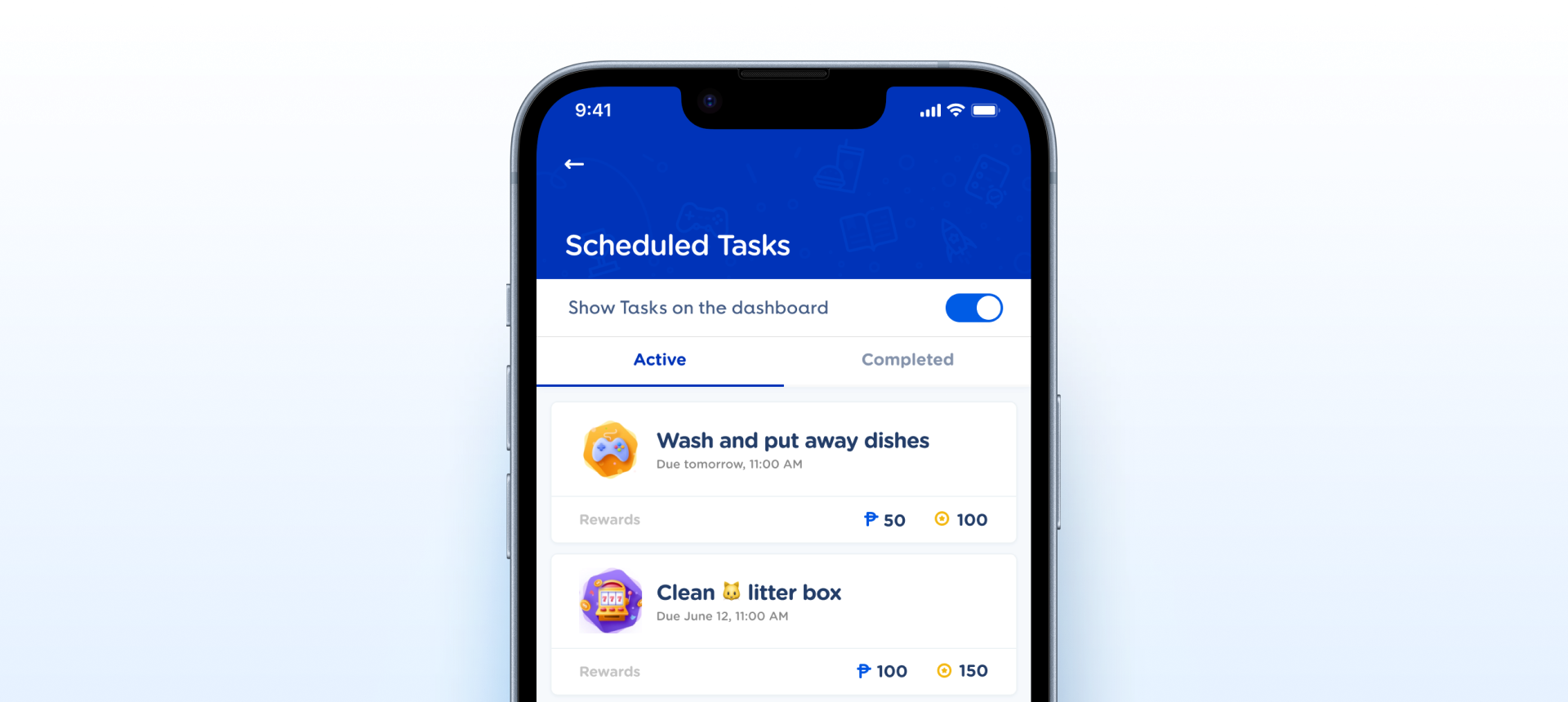
State × Size × isSelected — and maps to native Toggle / Switch. One finding is open: the switch ARIA role is not documented.How the toggle appears in a real product screen — switched on beside Show Tasks on the dashboard, on the Scheduled Tasks screen.
State (Default / Pressed / Disabled) × Size × isSelected (true/false), matching Radio Button. Pressed is folded into State rather than a stray boolean, and Disabled correctly omits Pressed. It now shares the full schema with Checkbox and Radio Button, including the isSelected boolean name.| State | iOS | Android | Figma Property | Notes |
|---|---|---|---|---|
| Off / On | Yes | Yes | isSelected=false / true | Grey track + knob-left when off; brand #005CE5 track + knob-right when on. |
| Pressed | Yes | Yes | State=Pressed | Darker track for tap feedback. Composes with either isSelected. Derived at runtime on native, not a passed parameter. |
| Disabled | Yes | Yes | State=Disabled | Muted track/knob, tap blocked. Ships at both isSelected values; correctly has no Pressed pairing. |
| Focused | N/A | N/A | — | N/A on mobile — touch has no focus ring. |
- ARIA role not documented. The native switch role and the required-toggle error announcement are not annotated on the component, so engineers have no spec for the a11y wiring. C4 · Native Mappability
- v2.0: Size axis added —
Large/Medium/Small(48 / 40 / 32 wide), previously absent. (C2) - v2.0: Interaction states added — a
Stateaxis now covers Default / Pressed / Disabled where the old component had only on/off/disabled. (C5) - v2.1: Schema normalized to the Selection Control pattern —
isPressedfolded intoState(Default / Pressed / Disabled, matching Radio Button), and the selection boolean moved fromisActive=Yes/Noto lowercaseisActive=true/false. Disabled correctly omits Pressed. Same 18 variants, no illegal-combination gap. (C2) - v2.1: Divergence from the Checkbox / Radio Button schema closed on the structural axes — Toggle now shares
State×Size× selection-boolean, so it maps to nativeToggle/Switchthe same way. (C2) - v2.2: Selection boolean renamed
isActive→isSelectedacross all 18 variants — Toggle now uses the exact same name as Checkbox and Radio Button, so the three selection controls are fully interchangeable. (C2)
- Document the ARIA / switch role. Spell out the native switch role and the required-toggle error announcement in the handoff spec. A11y
- Normalize to the Selection Control schema. v2.1: Applied —
State(Default / Pressed / Disabled) ×Size× lowercaseisSelected, matching Radio Button. Pressed folded intoState; booleans lowercase. Property - Add the Size axis. v2.0: Applied — Large / Medium / Small. Property
- Add interaction states. v2.0: Applied — Pressed and Disabled now ship as
Statevalues. State - Promote Toggle - With Label to a real component. v2.0: Applied — the labeled variant is now its own component that nests this Toggle as an instance (see the Toggle with Label assessment). Composition
- Rename
isActive→isSelected. v2.2: Applied — aligns the selection boolean with Checkbox and Radio Button across all 18 variants. Rename
Component Playground
Layout
VStack
Typography
Colors
iOS — Swift Package Manager
.package(url: "https://github.com/AY-Org/eb-ds-ios", from: "1.0.0")
Android — Gradle (Kotlin DSL)
implementation("com.eastblue.ds:toggle:1.0.0")
Import
import EastBlueDS
import com.eastblue.ds.toggle.*
One row per property of set 26510:37625. State is the only one that is not a parameter — Pressed is a gesture frame and Disabled is an environment flag, so neither is set on the toggle itself.
| Figma Property | SwiftUI | Compose |
|---|---|---|
| State — Default, Pressed, Disabled | .disabled(true) for Disabled; Pressed is the press gesture, not a parameter | enabled = false for Disabled; Pressed comes from interactionSource |
| Size — Large, Medium, Small | .controlSize(.large / .regular / .small) | size = EBToggleSize.Large / Medium / Small |
| isSelected — false, true | isOn: Binding<Bool> | checked: Boolean |
| — no Figma property (the change callback) | the binding writes back — $isOn | onCheckedChange: (Boolean) -> Unit |
// isSelected is the binding. Track goes #D7E0EF → #005CE5
// and the knob travels 24pt at Large.
EBToggle(isOn: $notificationsOn)
.controlSize(.large)// isSelected is `checked`. Track goes #D7E0EF → #005CE5
// and the knob travels 24dp at Large.
EBToggle(
checked = notificationsOn,
onCheckedChange = { notificationsOn = it },
size = EBToggleSize.Large
)// 48×24, 40×20, 32×16 — the knob is always the track height
// minus 4, inset 2 all round.
EBToggle(isOn: $on).controlSize(.large)
EBToggle(isOn: $on).controlSize(.regular)
EBToggle(isOn: $on).controlSize(.small)// 48×24, 40×20, 32×16 — the knob is always the track height
// minus 4, inset 2 all round.
EBToggle(checked = on, onCheckedChange = {}, size = EBToggleSize.Large)
EBToggle(checked = on, onCheckedChange = {}, size = EBToggleSize.Medium)
EBToggle(checked = on, onCheckedChange = {}, size = EBToggleSize.Small)// Disabled keeps the white knob and mutes only the track —
// #EEF2F9 when off, #9BC5FD when on.
EBToggle(isOn: .constant(true))
.controlSize(.large)
.disabled(true)// Disabled keeps the white knob and mutes only the track —
// #EEF2F9 when off, #9BC5FD when on.
EBToggle(
checked = true,
onCheckedChange = { },
enabled = false
)| Requirement | iOS | Android |
|---|---|---|
| Switch role | SwiftUI Toggle applies the switch trait automatically — VoiceOver says "on/off", not "checked/unchecked". | Material Switch applies Role.Switch semantics automatically. |
| Label association | The control carries no text. Pair it with a label and expose them as one element, or VoiceOver announces a switch with no subject. | Wrap the row in Modifier.toggleable() with the label inside, so the whole row is one target and one announcement. |
| Minimum target | The track is 24 / 20 / 16pt tall — every size is under the 44 × 44pt minimum. Pad the container; do not resize the track. | Same three heights, all under 48 × 48dp. Use Modifier.minimumInteractiveComponentSize(). |
| State announcement | VoiceOver announces "On" / "Off" as the value. | TalkBack announces "On" / "Off" as the state description. |
| Disabled | .disabled(true) blocks interaction; VoiceOver announces "dimmed". | enabled = false blocks click; TalkBack announces "disabled". |
| Focus — no Figma variant | The set has no Focused state, so an iPad keyboard or Switch Control user gets no visible ring from the design. Supply the platform focus ring rather than inventing one. | Same — no Focused variant. Let the platform draw D-pad / keyboard focus; do not hand-roll it. |
Do
Use Toggle for a setting that applies immediately — notifications on, biometrics on. The change is the action.
Don't
Don’t use it for a choice that needs saving. A toggle with a Save button reads as already-applied; use a Checkbox in a form.
Do
Match <code>Size</code> to the row it sits in — Large (48 × 24) for standalone settings rows, Small (32 × 16) for dense lists.
Don't
Don’t mix sizes down one settings screen. The knob travel changes with the size — 24 / 20 / 16 — so mixed rows read as misaligned.
Do
Always pair it with a label naming what is being switched, and let the whole row be the target.
Don't
Don’t ship a bare toggle. It renders no text in any of the 18 variants, so on its own it announces a switch with no subject.
Do
Disable the toggle when the setting is unavailable — the track mutes to <code>#EEF2F9</code> off or <code>#9BC5FD</code> on.
Don't
Don’t rely on the muted track alone to say why. The knob stays white in every state, so a disabled toggle still reads as interactive at a glance.
| ID | Criterion | Status | Notes |
|---|---|---|---|
| C1 | Layer Structure & Naming | Ready | Two semantic layers per variant — container for the track and ellipse for the knob. Nothing generic, nothing left over. |
| C2 | Variant & Property Naming | Ready | PascalCase variant properties with Title Case values, and the selection boolean takes the is prefix with lowercase true/false. The Size axis landed in v2.0 and isActive became isSelected in v2.2, so Toggle now matches Checkbox and Radio Button exactly. |
| C3 | Token Coverage | Needs Refinement | Fills are consistent across all three sizes and the knob shadow is a single shared effect. But bindings cannot be read with the Talk To Figma plugin, and the paths the previous record asserted sat against three wrong hexes — the default-off track, the disabled-off track and the disabled knob — so nothing here is carried forward as verified. |
| C4 | Native Mappability | Ready | Maps 1:1 to SwiftUI Toggle and Material Switch. isSelected is the binding, Size a control size, and State resolves from the gesture and the enabled flag. |
| C5 | Interaction State Coverage | Ready | Default, Pressed and Disabled ship at all three sizes in both selections — the complete 18. Focused is absent by the same decision Radio Button took: not a state on touch. The Accessibility table says to use the platform ring where a keyboard is attached. |
| C6 | Asset & Icon Quality | Not Applicable | No icons. The track and knob are vector primitives — a rounded rect and an ellipse. |
State (3) × Size (3) × isSelected (2) = 18 variants. Complete matrix, no gaps. Track colour depends on State and isSelected only — it is identical across the three sizes, which change geometry alone.
| State | isSelected | Count | Track fill |
|---|---|---|---|
| Default | false | 3 | #D7E0EF |
| Pressed | false | 3 | #C2CFE5 |
| Disabled | false | 3 | #EEF2F9 |
| Default | true | 3 | #005CE5 |
| Pressed | true | 3 | #2340A9 |
| Disabled | true | 3 | #9BC5FD |
View full State × Size × isSelected breakdown (18 rows)
| State | Size | isSelected | Node ID | Track size | Track fill |
|---|---|---|---|---|---|
| Default | Large | false | 26510:37626 | 48 × 24 | #D7E0EF |
| Default | Medium | false | 26510:37629 | 40 × 20 | #D7E0EF |
| Default | Small | false | 26510:37632 | 32 × 16 | #D7E0EF |
| Pressed | Large | false | 26510:37635 | 48 × 24 | #C2CFE5 |
| Pressed | Medium | false | 26510:37638 | 40 × 20 | #C2CFE5 |
| Pressed | Small | false | 26510:37641 | 32 × 16 | #C2CFE5 |
| Disabled | Large | false | 26510:37662 | 48 × 24 | #EEF2F9 |
| Disabled | Medium | false | 26510:37665 | 40 × 20 | #EEF2F9 |
| Disabled | Small | false | 26510:37668 | 32 × 16 | #EEF2F9 |
| Default | Large | true | 26510:37644 | 48 × 24 | #005CE5 |
| Default | Medium | true | 26510:37647 | 40 × 20 | #005CE5 |
| Default | Small | true | 26510:37650 | 32 × 16 | #005CE5 |
| Pressed | Large | true | 26510:37653 | 48 × 24 | #2340A9 |
| Pressed | Medium | true | 26510:37656 | 40 × 20 | #2340A9 |
| Pressed | Small | true | 26510:37659 | 32 × 16 | #2340A9 |
| Disabled | Large | true | 26510:37671 | 48 × 24 | #9BC5FD |
| Disabled | Medium | true | 26510:37674 | 40 × 20 | #9BC5FD |
| Disabled | Small | true | 26510:37677 | 32 × 16 | #9BC5FD |
#C2CFE5 — that is the Pressed value, and #D7E0EF appeared nowhere. Disabled-off was #E5EBF4, actually #EEF2F9. The knob was #F6F9FD when disabled; it is #FFFFFF in all 18 variants.18482:* nodes covered State Default/Disabled × on/off only — no Pressed, no Size axis, even though meta.description already named all three.State · Size · isSelected, with every colour and dimension re-read from 26510:37625. Reachable states equal built states: 18 of 18.#020E22 at 16% — a negative spread, which is why a 20px thumb throws such a tight shadow. The preview uses the same filter primitives rather than a CSS drop-shadow, which has no spread.Focused, Error — that exist in neither Figma nor the component. Rewritten as one prose row per property in panel order.18482:* with an isActive column and a note proposing "30 variants"; now 18 rows on 26510:37626–26510:37677 behind a six-row summary, each carrying its track size and fill.isSelected → isSelected, values Yes/No → true/false; add Size axis" — a note that renames a thing to itself and asks for an axis that shipped. C5 read "Missing Pressed, Focused, Error". Both rescored Ready.Toggle family.—. The previous toggle/color/* paths were not carried forward: three of them were asserted against hexes that turned out to be wrong.Size panel order is unconfirmed. No property panel was supplied, so the order comes from the set’s own child order — Large, Medium, Small. Radio Button’s panel lists Small, Medium, Large, so one of the two is out of step.isActive → isSelected — but the changelog jumps from 1.0.0 to here. Their dates are not recorded anywhere I can read, so they are not invented.isActive Yes/No, State Default/Disabled, and a size row headed "Proposed (post-normalization)". Size shipped in v2.0. Overview scope.isSelected → isSelected; change values Yes/No → true/false. Open